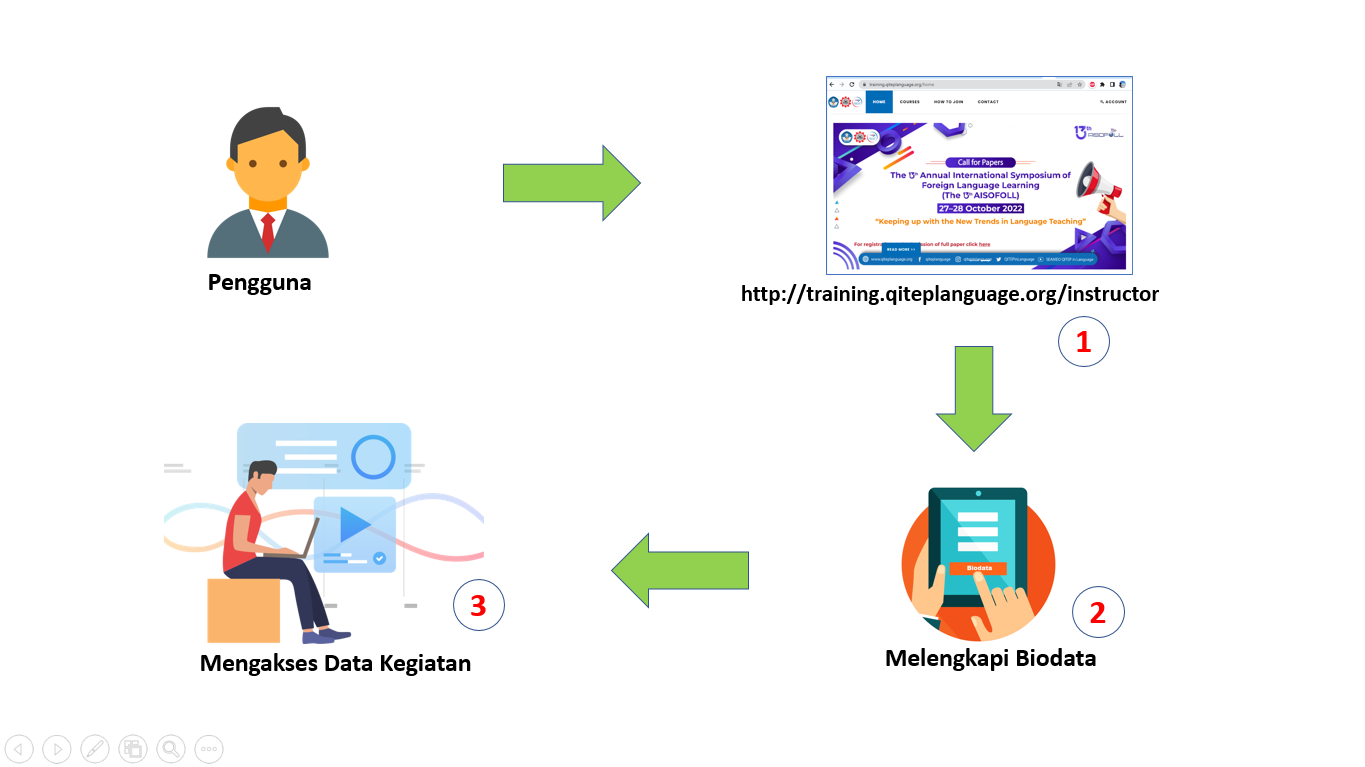
GATES by SEAQIL

GATES (Gateway for Activities, Training, and E-Learning System) by SEAQIL is a comprehensive digital platform developed by SEAMEO QITEP in Language (SEAQIL) to optimize the management of activities, training programs, and learning services through an integrated and accessible system

Courses


How To Join Course

Registration

Register your account by filling in your short biodata. Then, proceed with logging in and completing your personal data

  • Short Biodata: open the Account menu > Register, then complete your biodata form
  • Login: Login using your registered email and password
  • Participant Biodata: Navigate the menu to the participant's name in the upper right corner, select the Profile submenu, then fill in your complete biodata

Enroll Course

Prospective participants who already have an e-training account can register as a participant in one of the course provided on the Home page and the Courses page. Confirmation of acceptance/rejection as a course participant will be sent to the e-training account and announcements will be displayed on the information page

  • Determine Course: Prospective participants go to the Course menu, then select a course that has an "Open" status
  • Join Course: Click the "Join Course" button to go to the registration page
  • Agreement: Checklist the approval statements to take the course, then click the "Join" button until the status changes to "Registered"
  • Confirmation: Wait for the announcement of the selected participants in the information section or slider

Join Course

Selected participants can join the course. On the course page, detailed information on courses, materials, and schedules will be provided

  • Login: Login using your registered email and password
  • Course Page: Open the detailed information page by pressing the "View More" button on one of the courses you are taking
  • Details: View detailed information related to the course through the "Details" section submenu
  • Materials: Download course materials through the "Materials" section submenu
  • Schedule: View the schedule and zoom link via the "Schedule" section submenu
  • Pre-test & Post-test: Follow the Pre-test and Post-test according to the facilitator's instructions via the "Pre-test & Post-test" section submenu

Certificate

Selected participants can download their certificate after the course is completed.
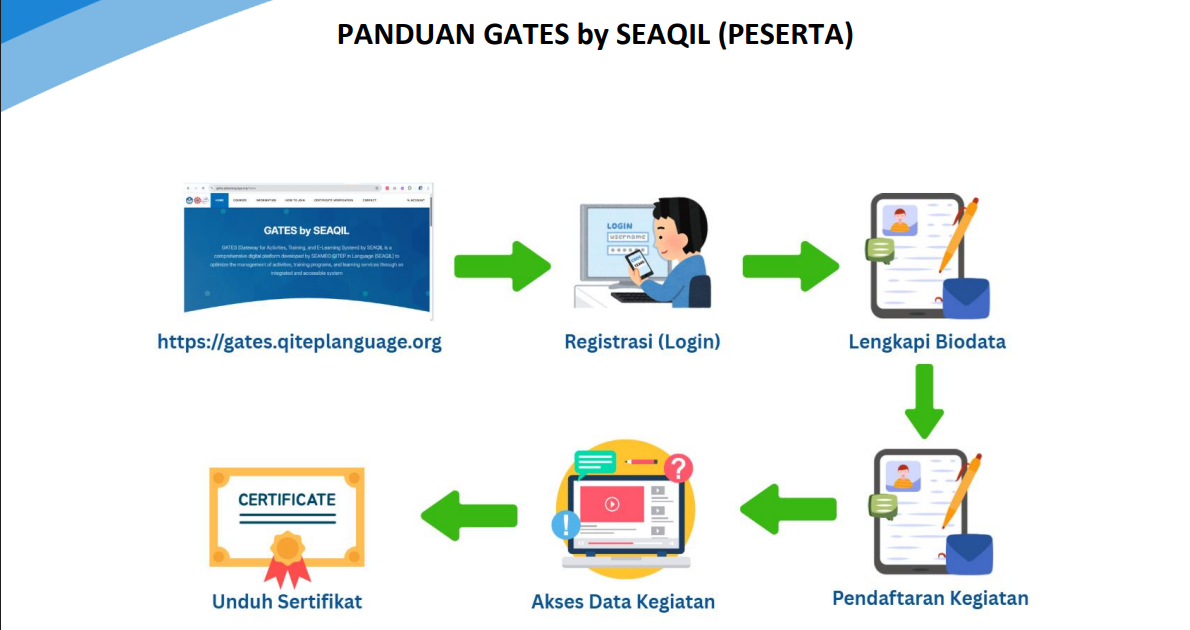
  • Download: View and downlod E-Certificate through the "Certificate" section submenu
  • Verification: Scan the QR code on the certificate to verify your data
Information
All Information
Panduan GATES untuk Peserta

Friday, July 05, 2024

Panduan GATES untuk Narasumber

Friday, July 05, 2024